
How our kids call and text without a phone plan

Our kids each have their own cell phone numbers, but we don’t pay a monthly bill (and neither do they).
How do we call and text them?
Well, let’s dive in …
I’d looked into adding them to our plan, but NO WAY way was I paying $50 a month, per kid. I already feel like my husband and I pay way too much for our cell phone plans. Adding two more humans to the mix? Um, no. Definitely not.
Our kids have had their “own” iPhones as long as they can remember, but only because they get our hand-me-downs when we’re done with them. (We hang onto our phones for a long time, so they’re always *really* old — and usually somewhat broken — once our kids get them.)

They started playing games on these ancient iPhones when they were little, and it was fun to see them iMessage us strings of colourful emojis and basic phrases. Sometimes it actually came in handy, too, if they got onto the Wi-Fi at a friends’ house and could send us a quick note.
When Covid struck and they were separated from their friends and classmates, Kids Messenger became a lifeline as they set up video chats and sent messages.
But Kids Messenger, FaceTime, and iMessage will only get you so far.
- With Kids Messenger, you can only talk to people on your list
- With iMessage and FaceTime, you can only talk to other iPhone/iPad users
- With all three, you need a Wi-Fi or data connection or they’re useless
Now that our kids are full-fledged tweens, 10 years old and 12 years old (!!!), we needed a more reliable way to reach them.

They’re spending more time away from us, out on their own or with friends, and I wanted to be able to stay in contact with them.
- I wanted to be able to track their location (God bless the Find My app, amen)
- I wanted to be able to text or iMessage them (“Hello? When do I pick you up?!”)
- I wanted to be able to call them (“Why aren’t you responding to my texts?!”)
- I also wanted them to have the ability to call and text ALL phone numbers (without having to know their Apple ID for iMessage or FaceTime)
- Mostly so they could give a phone number out to their friends, instead of giving them our home phone number (which I plan on canceling very soon)
- But also so they had the freedom to let their friends call their parents if they needed to reach them (since a lot of kids memorize Mom’s cell phone, but wouldn’t have the faintest clue how to iMessage her on her Apple ID)
- I wanted the option to put data on their phones sometimes, without a monthly plan
What to do, what to do?
If you know me in real life or on social, you can see where this is going! 😀
Back in January, I left my long-time gig in the newspaper industry and started working in marketing and communications for an Ottawa communications company called AffinityClick. Yup, I’m in the app business now, and I’m here to tell you that there IS an app for that. (Does anyone else remember those early Apple commercials?)
Just days into my new position, I realized our two apps — Hushed and aloSIM — would be the perfect solution(s) to the I-Need-To-Reach-My-Kids problem.
Hushed is a second phone number app, so you can buy phone numbers in 300+ area codes and keep them for as long as you want.
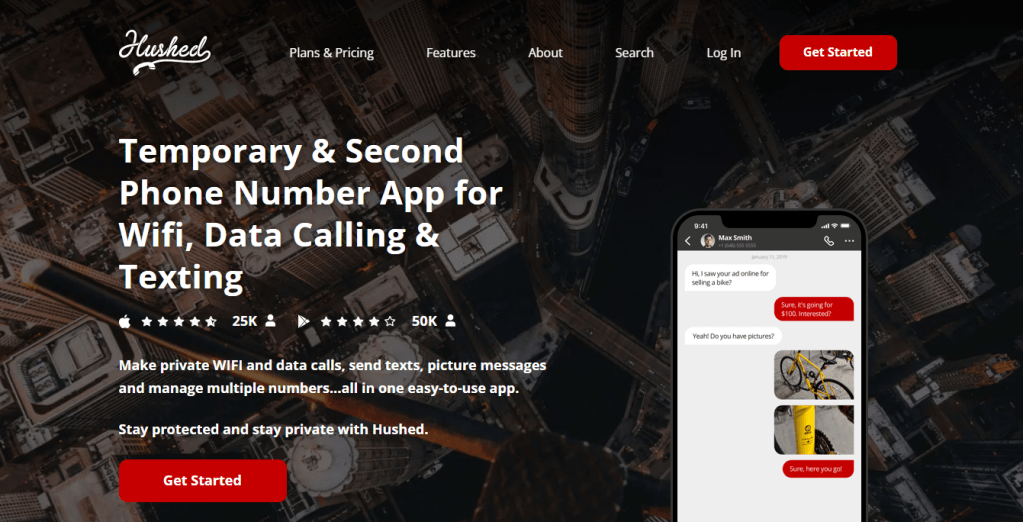
You can buy temporary phone numbers from Hushed for a week, a month, etc. if you don’t want to keep them for very long. But I used a super-special Hushed discount offer to score lifetime phone numbers (they never expire as long as you use them) for $25 each — one for our son, and one for our daughter.
I got to choose their phone numbers from a huge list, and it took less than a minute to get the apps organized on their hand-me-down iPhones.
Oh, and I also “gifted” them their Hushed phone numbers on their birthdays, when they each got their latest hand-me-down iPhone. Just as they were about to tear off the wrapping paper, I had someone call their new phone number so the still-wrapped gift started ringing.

It was pretty adorable, I must say.
Except I wrapped their old iPhones in the boxes my husband and I had saved from our new iPhones, and there was a funny moment when our daughter squealed “An iPhone 13?!” and I had to say, “Um, no — that’s just the box.”
(Seriously, does she think she’s getting the same phone as me? She’s TEN! She drops everything!)
Why I bought my kids their own lifetime phone numbers from Hushed:
- For a one-time payment of $25, they own that phone number for life
- They get plenty of calling minutes/texts to use up, and the credits renew each year
- If they were to run out (they won’t), it’s cheap to top up their account
- Their phone numbers are within our own local area code (902)
- They’re real phone numbers, so they can write them on forms, give them out to friends, etc.
- They can call/text any phone number, and any phone number can call/text them (unlike iMessaging and Kids Messenger)
- They can actually call any number in Canada or the U.S., if they ever got a long-distance friend
- We can reach them by phone or text anywhere they have Wi-Fi or data (more on data in a sec)
- They can use any mobile device to log into the Hushed app, and their contacts, messages, etc. are all there (so it’s not a problem whenever they get “new” hand-me-down devices)
Our kids love having their own Hushed phone numbers, and I couldn’t beat the price. Paying $25 ONCE for a number that will never expire (and calling/texting credits that will regenerate every year) instead of paying $50 a month for years and years?! Amazing!
Since everyone in our immediate family has iPhones, they usually stick to iMessage (leaving their Hushed credits untouched). But it’s been really handy to be able to call them on their Hushed number when I need to reach them. (iMessages are easy to miss, but you don’t miss a ringing phone.)
Hushed is also useful when they pass their phone to a friend so they can call their parents. It doesn’t matter if they’re calling an iPhone, an Android phone, or a landline — it will call them all.
Okay, so what about mobile data?
Hushed works perfectly over Wi-Fi, and thankfully it’s pretty easy to hook onto a Wi-Fi network these days. Our kids’ school lets them log into the Wi-Fi using their school IDs, our daughter’s dance studio has Wi-Fi available for students and staff, and their friends are all familiar with sharing their household’s Wi-Fi password with guests. (We keep ours in a pretty frame.)
But … what if there isn’t any Wi-Fi?
That’s where the other app comes in.
aloSIM is an eSIM data app, so you can buy short-term mobile data packages in 120+ countries and have an internet connection wherever you need it.
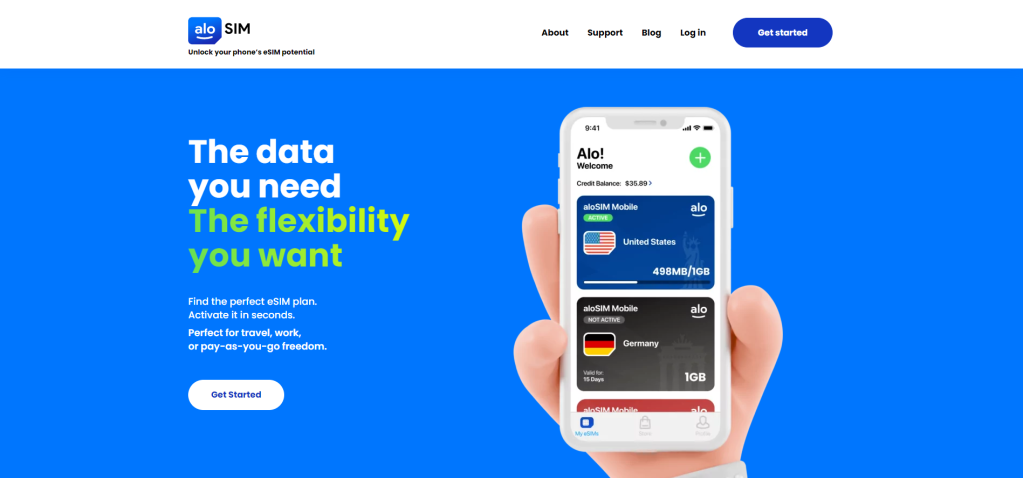
As long as your child’s phone supports eSIM, you can add prepaid data packages to your device whenever you want them. Since we just handed down our iPhone XRs to our kids, they were on the list of eSIM-compatible devices and could get aloSIM data.
This is VERY helpful because it means we don’t need to pay for a monthly cell phone package that gives them data. Our kids have their Hushed phone numbers for calling and texting, and if we want to add a short-term data package to their phone for a particular reason, we can do that in under two minutes.
Of course, sometimes you don’t know what the Wi-Fi situation will be until your kid is somewhere with no way to reach you, but usually you can scope that out in advance. If I know the Wi-Fi is going to be an issue and I’ll want to reach one of the kids, I’m happy to pay a few bucks, here and there, for the piece of mind that comes with knowing I can reach them anywhere, anytime.
Why I buy my kids occasional prepaid data packages from aloSIM:
- They’re going away and we want to be able to reach them by calling or texting their Hushed phone number (without relying on Wi-Fi)
- They’re attending a day camp that has glitchy/unreliable Wi-Fi
- They’re participating in a special event (play, recital, etc.) and we want to make sure we can call/text each other if they need something
- There’s a situation where we know we might need to reach them for an important message (“Running late! Stay put! Will pick you up as soon as I can!”)
- They’ll be somewhere that I want to be able to track their exact location
While it would be convenient for them to have aloSIM data all the time, that would end up costing about the same as a monthly phone plan, so it’s just not worth it at this point.
We’re pretty good about thinking ahead to where the kids will be, and if there’s a reason we feel they’d benefit from data, I’ll open the aloSIM app on their hand-me-down iPhone and buy them a 1GB package. Then they’ll have sweet, sweet data flowing through their device for seven full days.
And I’ll know that anytime I want to call them, text them, iMessage them, FaceTime them, etc. they will be able to ANSWER ME IMMEDIATELY. (That’s the deal. Answer Mom, always, if you want to keep getting data occasionally.)
How our kids call and text without a phone plan
So there you have it! If you have a tween you’d like to reach on an old hand-me-down phone, this is a really cheap, effective way to stay in touch with them.
The Hushed app: Gives them their own phone number for calling and texting any number
- Phone numbers start at $1.99
- Buy a lifetime phone number for $25
- Download the free Hushed app
The aloSIM app: Gives them short-term data when you feel Wi-Fi won’t be available
- Packages start at $4.50 for a week of data
- No contracts, just pre-pay for what you want
- Download the free aloSIM app
While it definitely feels like one of those they’re-growing-up-so-fast moments to be able to call and text your kids on their own phone, it’s pretty sweet when you can text them from bed to please flip on your tea kettle.

10 Comments on “How our kids call and text without a phone plan”
So what do you think?









As featured on …



 Heather's Handmade Life
Hello Heather, thank for the advise. Question, how to you manage both app? Did you downloaded them directly on your kids phones and manage their account that way?
let me know thank you
sincerely,
Carolina Gabler
LikeLike
Hi Carolina! Yes, I installed both apps on the kids’ phones. I have their passwords so I can check them anytime I want, but I can also log into their Hushed accounts on my phone if I ever wanted to check conversations, etc. Hope that helps!
LikeLike
Oh my goodness, this is SO AWESOME. My son is 11 and starting middle school. I wanted to introduce a cell phone this summer so he gets used to it and it won’t be too much of a distraction (hopefully), when he starts school. I don’t have a phone for him to use yet. I am hoping these apps will be available in the US here.
LikeLike
They’re definitely available in the U.S.! Perfect way to get kids an affordable first phone number that works over Wi-Fi or data.
LikeLike
THIS IS SOO HELPFUL! God Bless You!
LikeLike
So glad to hear. Thank you!
LikeLike
If I got the hushed app would I be able to use the phone number and text in iMessages?
LikeLike
Hi Sasha! Hushed phone numbers work within the Hushed app for calling and texting, so they are not connected to the “phone” and “messages” sections of an iPhone. However, Yes, kids with iPhones can also choose to use iMessage or FaceTime with their Apple ID email addresses anytime, as long as they’re on Wi-Fi or data, as those just require an Apple ID and an internet connection, and are not tied to any phone numbers. Hope that helps!
LikeLike
Do they have to log in or go through the hushed app to call and text?
LikeLike
Hi Lesley! Yes, all calling and texting takes place within the Hushed app on their phone number there, as long as they have Wi-Fi or data. For kids with iPhones, they can also choose to use iMessage or FaceTime as long as they’re on Wi-Fi or data, as those just require an Apple ID and an internet connection, and are not tied to any phone numbers. Hope that helps!
LikeLike